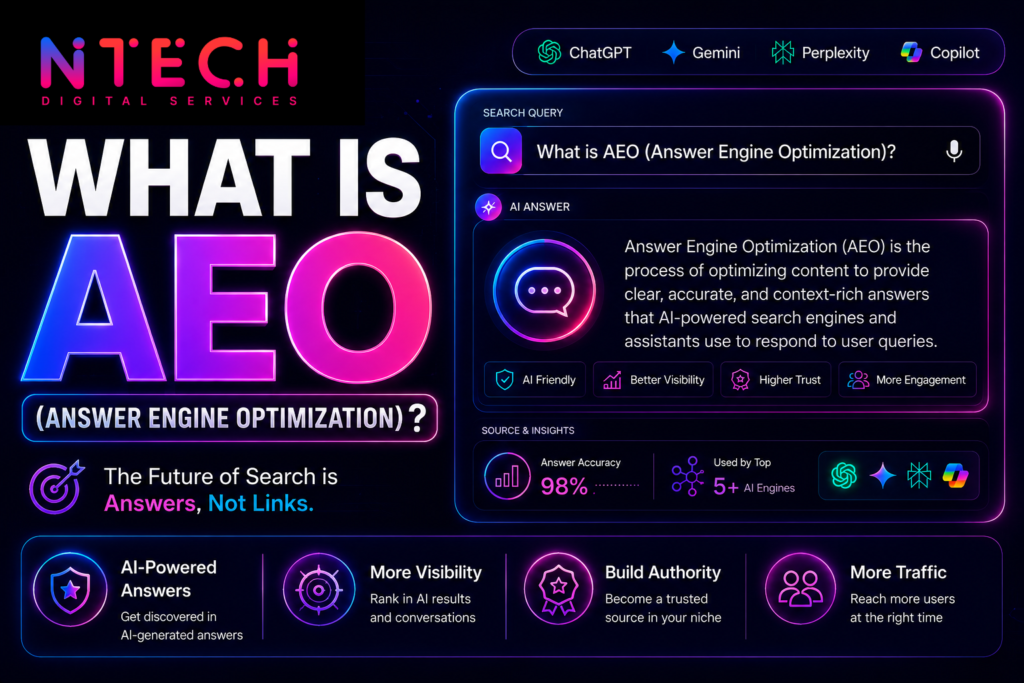
When someone asks ChatGPT, Gemini, Perplexity, or Google’s AI Overviews for “the best CA in Nagpur” or “a good CRM for small agencies,” the AI usually searches the web, reads a few pages, and names a handful of businesses. If your site is unclear or thinly documented, you won’t be named.
Rank Math can’t guarantee a mention, and no tool can. What it can do is fix the technical foundation that makes your site readable and trustworthy to both search engines and AI tools. This guide shows how to set it up for that.
Start with the setup wizard
Install Rank Math and run the Setup Wizard. Choose the right site type (Local Business, Company, Online Shop, Blog), connect your Google account, and turn on the modules in the next steps. Most of what matters for AI visibility sits in a few modules: Schema, Local SEO, Sitemap, Redirections, 404 Monitor, Instant Indexing, and Analytics.
1. Fill in your business identity (Titles & Meta)
Go to Rank Math > Titles & Meta > Local SEO. This is where you tell machines who you are:
- Business name, logo, and type (use the most specific type available, e.g. Dentist or Accountant rather than Organization)
- Full address, phone number, opening hours, and service area
- Social profile links
- A short, plain description of what you do
Use exactly the same name, address, and phone number here as on your Google Business Profile and every directory. Inconsistency is one of the quickest ways to lose an AI tool’s confidence.
2. Use the Schema module properly
Rank Math’s Schema module is the biggest advantage for AI visibility, since it labels your content in a format machines read directly.
- Site-wide: Local SEO settings generate Organization or LocalBusiness schema automatically.
- Per page: Open any page or post, go to the Schema tab, and pick the right type: Service, Product, Article, FAQ, HowTo, Review, or Person for author pages.
- FAQ schema: Add a real FAQ block to your service pages using Rank Math’s FAQ block in the editor. Only mark up questions actually visible on the page.
- Author schema: Fill in author bios and links so your content has a named, credible person behind it.
Validate your work with Google’s Rich Results Test, and don’t add schema for content that isn’t on the page. That can backfire.
3. Optimize each page for people first
Rank Math’s content analysis gives you a score out of 100, but treat it as a checklist, not a goal. A 100 score doesn’t mean better rankings, and chasing it can produce stiff writing.
What helps both Google and AI tools:
- One clear focus keyword per page, such as “commercial roof repair Nagpur,” used naturally in the title, URL, first paragraph, and a heading
- A clear SEO title and meta description. Rank Math’s Content AI (a Pro feature) can draft these, but read and edit them yourself
- Short paragraphs that answer a question directly, followed by detail
- Headings that match real customer questions
- Internal links between related pages. Rank Math suggests these as you write
4. Create pages AI tools want to cite
Rank Math can’t write useful content for you. For each core service, build a page that includes:
- What the service is and who it’s for
- Pricing ranges or what affects price
- How long it takes and what’s included
- A short FAQ (marked up with Rank Math’s FAQ block)
- Proof: case results, photos, certifications, and named client testimonials
Add a few comparison or guide pages too, such as “X vs Y: which is right for you?” Original data from your own work, like pricing benchmarks or survey results, is more likely to be cited than rewritten generic content.
5. Check that crawlers can reach you
Under Rank Math > General Settings > Edit robots.txt, make sure you aren’t blocking crawlers you want. Some hosts and security plugins block bots such as GPTBot, ClaudeBot, PerplexityBot, and Google-Extended by default. If you want to be cited, allow them. Also confirm that Rank Math > Sitemap Settings is on and that your sitemap is submitted in Google Search Console.
6. Get new content indexed quickly
Enable the Instant Indexing module (it uses IndexNow) so new and updated pages are pushed to supporting search engines instead of waiting to be discovered. Pair it with Google Search Console, connected under General Settings > Analytics, and use its URL Inspection tool to request indexing for key pages.
7. Use Rank Math’s AI-era features, with realistic expectations
Rank Math has been adding AI-related tools. Several 2026 roundups report that it now offers an AI search traffic tracker showing how AI-powered search engines are referencing your content, along with llms.txt support. Check your own dashboard and plan, since features and tiers change and some reviews disagree about what’s included. wpmayor
Two honest notes:
- llms.txt is optional. It’s a file meant to point AI crawlers at your key pages, but at least one roundup notes that Google states llms.txt has no effect on Search rankings or AI features. If Rank Math makes it a one-click setting, enabling it is harmless, but don’t expect it to be a breakthrough. themeisle
- The AI traffic tracker measures; it doesn’t improve. It’s useful for seeing which pages AI tools send visitors to, so you can do more of what works.
8. Build presence beyond your site
No plugin can do this part, and it matters a lot. AI tools trust what others say about you.
- Complete your Google Business Profile
- Collect detailed customer reviews on Google and relevant platforms
- Get listed in industry directories and associations
- Earn mentions in local news, blogs, podcasts, and guest articles
- Answer questions helpfully in places like Reddit, Quora, and LinkedIn
Link to your Google Business Profile and social profiles from your site, and keep descriptions consistent with your Rank Math Local SEO settings.
9. Clean up and monitor
Turn on the 404 Monitor and Redirections modules to catch broken links and redirect old URLs. Dead pages and redirect chains waste crawl effort and weaken trust.
Then test monthly. Ask ChatGPT, Gemini, Claude, and Perplexity the questions your customers would ask:
- “Best [your service] in [your city]”
- “[Your business] reviews”
- “Alternatives to [competitor]”
Note who gets mentioned and which sources are cited. If a competitor appears from a directory you’re missing, get listed there. If an AI states something wrong about you, update the page it likely drew from.